Ask any HR manager at a manpower company what their most time-consuming problem is, and attendance will come up in the first three answers. Not because attendance is complicated in principle, but because tracking it accurately when your workforce is scattered across 20 different client sites is genuinely hard.
This guide covers how field employee attendance tracking actually works for manpower companies, security agencies, and facility management businesses. We look at the methods available, what works and what does not, and how to connect attendance data to payroll in a way that removes manual steps entirely.
Why Field Attendance Is a Different Problem From Office Attendance?
In an office, attendance tracking is straightforward. Workers swipe in at the entrance, the system logs the time, and HR has accurate data. The process works because everyone is in one building.
For field workers, none of those conditions hold. A security company with 300 guards might have workers at a shopping mall, a hospital, three corporate offices, and two residential societies, all at the same time. A facility management company might have housekeeping staff at 15 different client buildings across the city.
The attendance challenges this creates are specific:
- No central location: Workers cannot check in at your office. They are at the client’s site, not yours.
- Proxy attendance risk: Without verification, one worker can mark attendance on behalf of another. This is called buddy punching, and it is widespread in field deployments.
- Supervisor dependency: Many companies rely on site supervisors to submit attendance sheets manually. This creates delays, errors, and opportunities for manipulation.
- Multiple shift patterns: Security companies in particular run 8-hour, 12-hour, and split shifts simultaneously. Each pattern requires different overtime calculations.
- Client site access constraints: Installing biometric hardware at client premises requires client cooperation, capital investment, and ongoing maintenance.
Five Methods for Tracking Field Attendance: What Works and What Does Not
Here is an honest assessment of the methods available for tracking attendance in a field workforce.
Paper Muster Roll
The paper muster roll is prescribed under CLRA and must be maintained regardless of what technology you use. However, using it as your primary attendance capture method at scale creates significant problems. Paper sheets arrive at head office late. Data entry into payroll is manual and error-prone. And there is no way to verify that the signature on the sheet was made by the worker it claims to represent.
Biometric Devices at Client Sites
Fingerprint or iris scanners installed at client sites solve the proxy attendance problem. However, they require the client’s permission for installation, an upfront hardware cost for each site, ongoing maintenance, and a connectivity solution to transmit data to your central system. For most manpower companies managing multiple sites, this is impractical and expensive at scale.
Mobile App with GPS and Geo-Fencing
This is the approach that works for the vast majority of manpower companies. Workers download an app on their personal smartphone. When they arrive at the client site, they check in through the app. The system records their GPS coordinates at the moment of check-in and verifies that those coordinates fall within the boundary of the designated site.
If a worker attempts to check in from outside the geo-fence, the check-in is rejected. Proxy attendance becomes impossible because the worker must physically be at the site. No hardware installation at the client site is required. The data reaches your system in real time.
WhatsApp or SMS Check-In
Some companies run attendance through WhatsApp messages or SMS. Workers send a message when they arrive, and HR manually logs it. This works at very small scale but creates no reliable audit trail, no location verification, and an enormous administrative burden on your HR team as headcount grows.
How GPS Geo-Fencing Works in Practice?
Setting up GPS-based attendance tracking for a field workforce involves a straightforward process. You do not need IT expertise or client cooperation to make it work.
- Register each site in the system: Enter the client site address and set the geo-fence radius. For a compact office building, a 100-metre radius is typical. For a large industrial site, you might use 300 metres.
- Assign workers to their site: Each worker is linked to one or more sites in the system. They can only check in at their assigned site.
- Worker checks in on arrival: The worker opens the app, taps check-in, and the system records the time and GPS location. If they are inside the geo-fence, the check-in is accepted. If they are outside it, they receive a message saying their location is not within the site boundary.
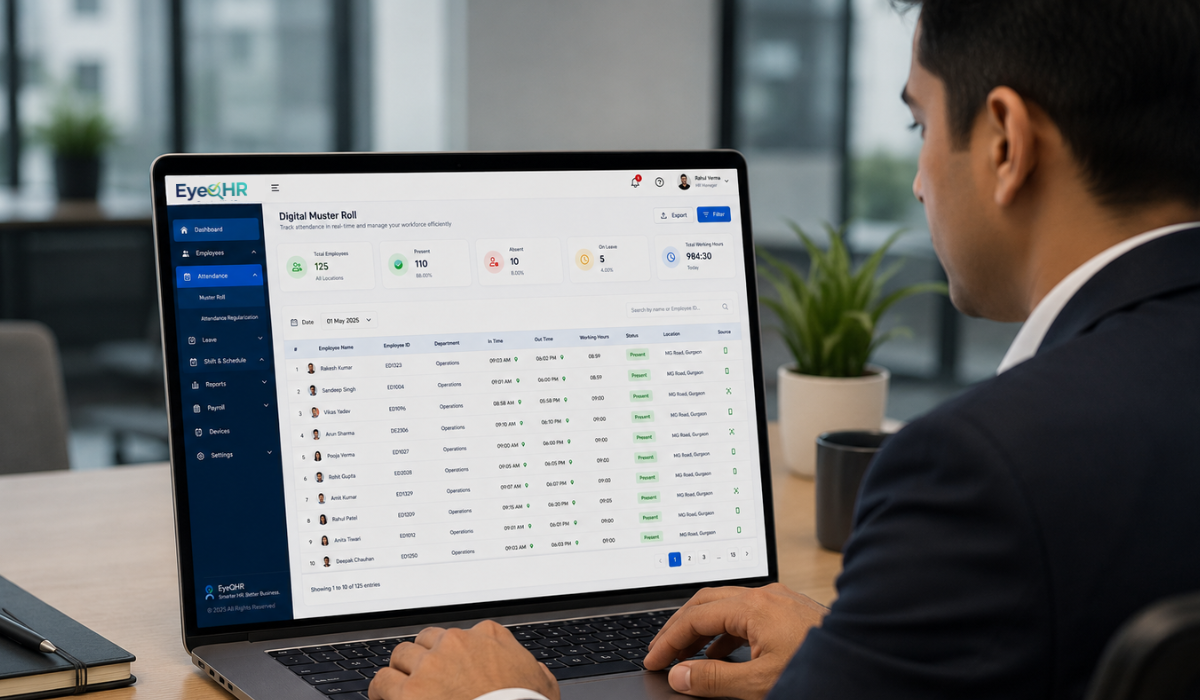
- Supervisor sees real-time attendance: Site supervisors and HR teams can view a live dashboard showing which workers have checked in, which have not, and any anomalies.
- Data flows into payroll: Attendance records are used directly in payroll calculations. Days worked, hours worked, and overtime are computed from the attendance data without manual transfer.
Linking Attendance to Payroll: Removing the Manual Step
The biggest efficiency gain from a field attendance system is not the attendance tracking itself. It is what happens next. When attendance data flows automatically into payroll, the entire manual transfer step disappears.
In many manpower companies, the current process looks like this:
- Site supervisor collects attendance sheet at end of month
- Sheet is sent to head office by courier or WhatsApp photo
- HR team manually enters the data into a spreadsheet
- Payroll is calculated from the spreadsheet
- Discrepancies found at the end of the process require going back to site supervisors
This process takes days and introduces errors at every transfer point. When attendance is captured digitally and flows directly into payroll, the month-end process looks very different:
- Attendance data is in the system in real time throughout the month
- Payroll is calculated at month-end by running the automated process
- Any discrepancies flagged by the system can be resolved by checking the digital attendance record directly, not by calling a supervisor
- Payslips are generated from the same data, with no additional input required
Industry-Specific Considerations
Security Companies
Security deployments involve 24-hour coverage across multiple shifts, which means attendance data must handle shift handovers cleanly. The system should record both check-in and check-out times, and calculate shift duration accurately even when shifts cross midnight. Overtime for security guards who cover extended shifts must be calculated at the prescribed overtime rate.
Facility Management and Housekeeping Companies
Facility management deployments often involve workers assigned to different floors or zones within a single building. Geo-fencing works at the building level. Worker assignment to specific areas within the building is a scheduling function rather than an attendance function. The attendance system needs to support multiple workers at a single site without merging their records.
Construction and Labour Supply Companies
Construction sites are large, and workers may move between different areas within the site during the day. A single geo-fence covering the entire site boundary is the most practical approach. The system should also support recording when workers arrive from manpower agencies that supply workers to a contractor, which requires clear assignment records linking each worker to the correct payroll entity.
Frequently Asked Questions
Do we need to install anything at the client site to use GPS attendance?
No. GPS-based mobile attendance requires nothing at the client site. Workers use their own phones, and the geo-fence is set up in your system using the site’s address. The client needs to do nothing, and you do not need their premises for any hardware installation.
What if a worker does not have a smartphone?
For workers without smartphones, you have two options. First, the site supervisor can mark attendance on their behalf using the supervisor’s app, which still captures the GPS location. Second, some systems support a QR code posted at the site entrance that workers scan using a basic camera phone. Neither option is as reliable as individual mobile check-in, but both are significantly better than paper muster rolls.
Can we track attendance for workers on 12-hour shifts?
Yes. The system records check-in and check-out times and calculates total hours worked. For 12-hour shifts, the system can be configured to trigger overtime calculations after 9 or 10 hours, depending on the applicable state rules and shift agreements. Midnight-crossing shifts are handled by recording the actual start and end times rather than assuming a calendar day.
How does geo-fencing prevent a worker from marking attendance from outside the site?
When a worker taps check-in, the app captures their current GPS coordinates. The system compares those coordinates against the registered site boundary. If the worker is within the boundary, the check-in is accepted. If they are outside it, the check-in fails and the worker receives an error message. This comparison happens server-side and cannot be bypassed by the worker.
What reports can we generate from field attendance data?
A field attendance system built for manpower companies generates site-wise daily attendance summaries, worker-level monthly attendance records for payroll, late arrival and early departure reports, overtime reports by worker and site, and absent worker alerts that can be sent to site supervisors in real time.
Putting It Together
Tracking attendance for a field workforce is genuinely difficult when you try to do it with paper sheets, WhatsApp photos, and manual data entry. The combination of GPS mobile attendance, geo-fencing, and automatic payroll integration solves the three core problems: accuracy, proxy prevention, and the manual transfer of data at month-end.
The technology exists and it works on ordinary Android phones. The bigger decision is usually about the process change involved in moving away from paper muster rolls and supervisor-submitted sheets. That change takes a few weeks to embed. The time saved at month-end repays it within the first payroll cycle.